


VOICEMEETER UPDATES DECEMBER 2025
SURROUND
SPEAKER SUPPORT
Directly from your PC
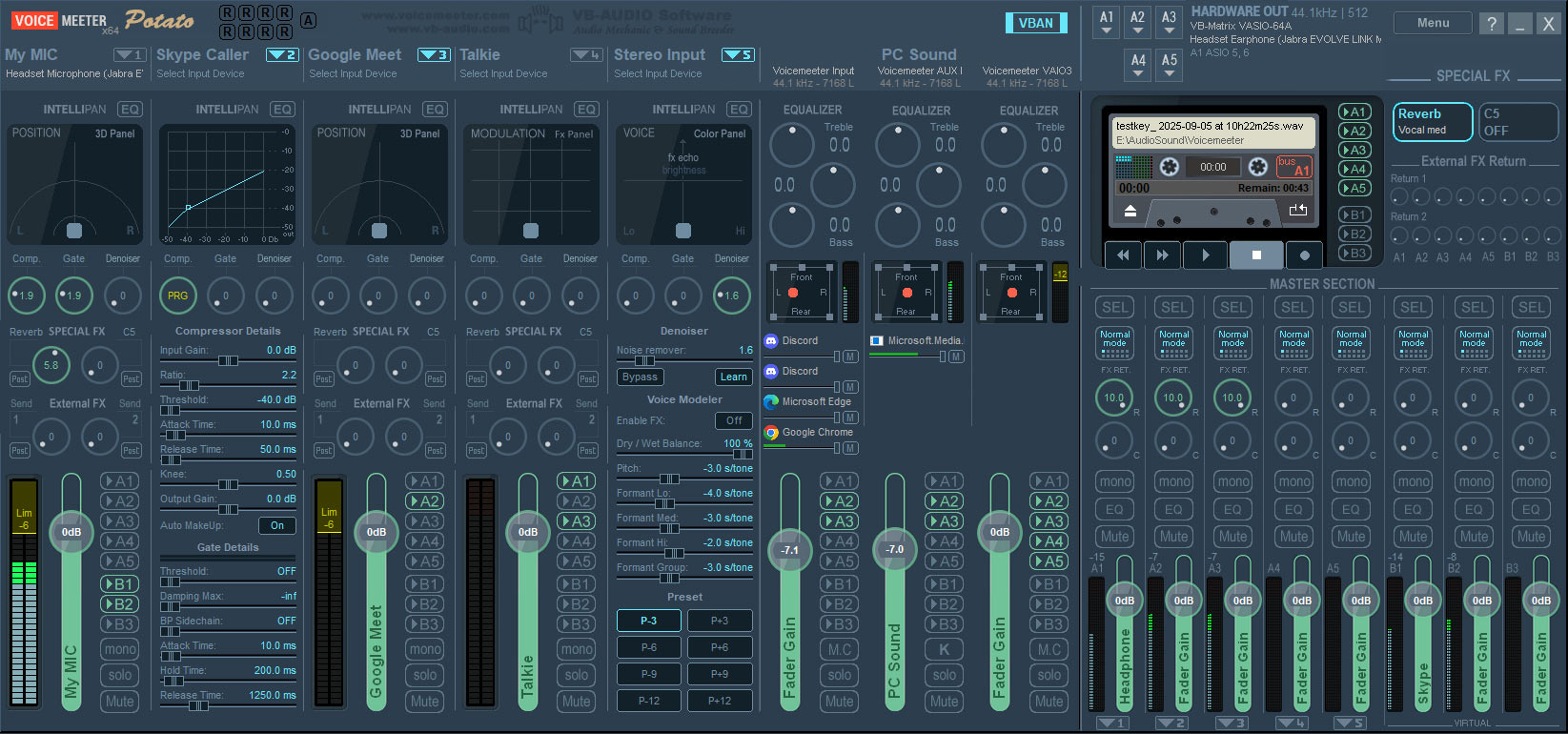
Fixes / New Features in this update
Release Versions 3.1.2.2 / 2.1.2.2 / 1.1.2.2 (February 2024)
New Features
- MACROBUTTON: allows displaying an image in the button (one for OFF state, one for ON state). A new field and “select” button allow selecting image file in the Button configuration dialog box. Native resolution is 130 x 108 pixels but any image size can be loaded in BMP, PNG, JPG or TIF format. If bigger than 130 x 108, the image is reframed and scaled, otherwise the image is centered. Transparent layer (including shadow effect) is managed correctly only for PNG smaller than the native resolution (130 x 108). When an image is selected, the keyboard shortcut is not displayed.
- MACROBUTTON: VBAN Configuration dialog box now offers 4 VBAN-TEXT stream (instead of 2).
- MACROBUTTON: SendText(“vban1”, request1; request2; request3) function could not support several request before last parenthesis.MACROBUTTON: Button(index).State = 1 could produce a crash for index above max button (0 <= index < 80).
- MACROBUTTON: Color selection with explicit color name.MACROBUTTON: Button state can be trigged by Special Voicemeeter Event for the OFF or ON State: Tape PLAY / Tape STOP / Tape REC / Tape End Of File.
- MACROBUTTON: Comment management was not working correctly. CTRL+A to select all text now works in script edit box.VBAN-FRAME: New protocol to send video stream through Ethernet. Voicemeeter is now able to send a capture of the display screen or the capture of its main windows (in JPG or PNG) over the network to VBAN-Screen app (to monitor VBAN-Frame stream).
- MACRO BUTTONS: Audio Trigger now offers an input mode combo box to select PRE-Fader, Post-Fader or POST-Mute level. Audio Trigger can also now use output BUS level (stereo signal = 2 first channels of the BUS).
- BUS Mono button can now be used by Right click to change the MONO mode directly to cross channel mode for example.
- H-CODE: New License Activation Code (starting by ‘H’) using asymmetric encoding: The ACTIVATION process now asks for a license authentication certificate to our webshop server. If not connected to internet, user can get the certificate on his webshop account and copy/paste it to activate his license (a new REGEN is needed). Challenge code is expected to be more stable (because nomore pending on Microsoft machineGuid, that could be changed on Windows update).
- VAIOS update. Coming from VAIO Matrix general improvements, Voicemeeter VAIO driver clocking and Synchronization have been re-engineered to support a strict synchronization to Voicemeeter main stream. Now the VAIOs can be strictly in sync with the main stream (see VAIO sync option in system settings dialog box).
- VBAN service is running even if audio engine is stopped.
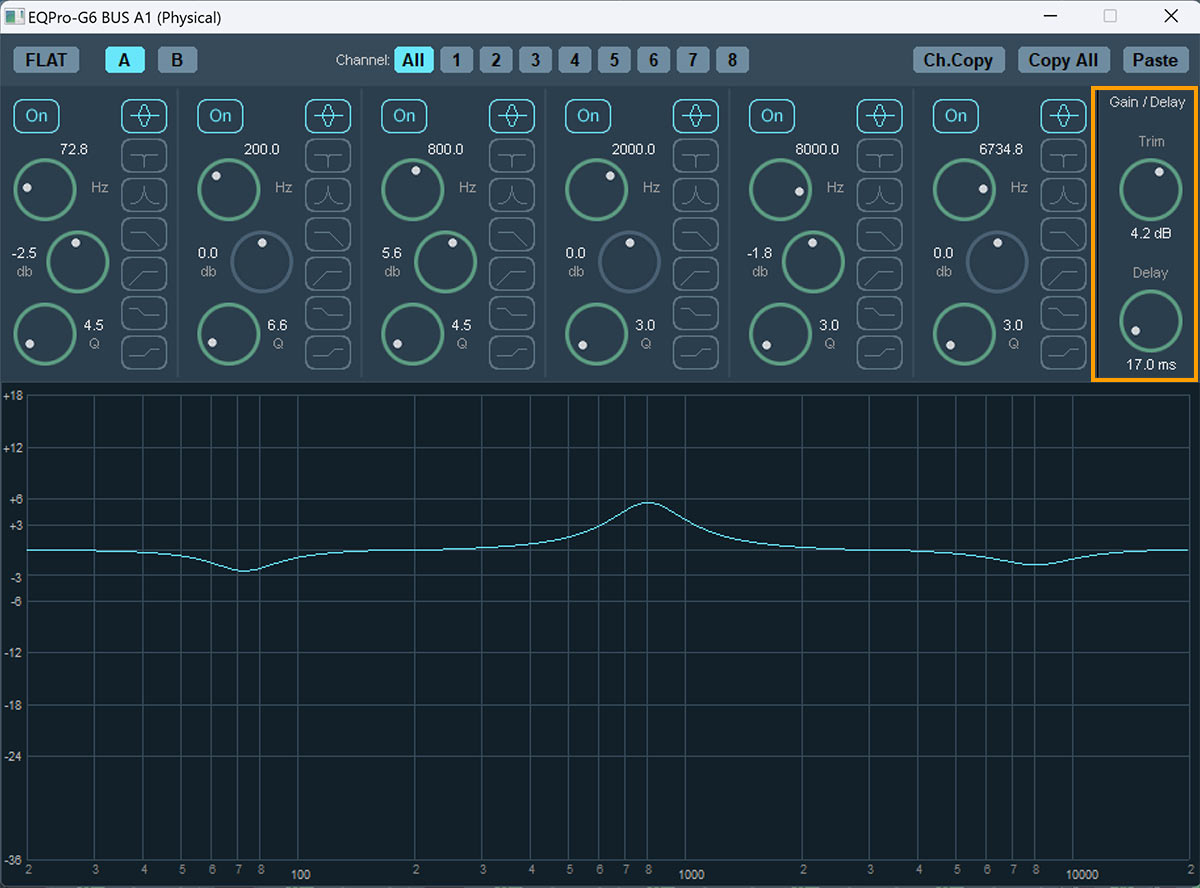
- MASTER EQ: now offer Gain / Delay parameters for each channels to trim the EQ level and delay each channel separately (the delay is added to the Monitoring delay defined in system settings dialog box).
- All BUS can have delay. This delay is now applied before sending BUS to Virtual or physical audio output, Virtual ASIO or VBAN stream. Keyboard shortcut 0, 1,2,… 8 can be used to select channel.
- The BUS EQ button now displays 8 small LED indicating if the EQ is flat (black) no flat (green) with delay (red) or both (yellow) for each channel.
- REMOTE API: PARAMETRIC EQ gain was limited to -12 / +12 dB, now it’s -36 / +18 (like the user interface limits). New instruction for delay / trim:Bus[i].EQ.channel[j].Trim = -24 to -24 dB
Bus[i].EQ.channel[j].Delay = 0 to 500 msLOAD SETTINGS: AUX FX (Reverb, Delay, C5) could not be correctly set after loading Voicemeeter Banana or Standard Settings file.STREAMER VIEW: launched like MacroButton if using the Voicemeeter menu.LOAD SETTINGS: AUX FX (Reverb, Delay, C5) could not be correctly set when after loading Voicemeeter Banana or Standard Settings.WARNING MESSAGE are no more displayed in AUTO Restart mode (that could display multiple warning dialog in case of continuous audio engine restart attempt).ASIO PATCH: possible display inconsistency between ASIO Patch inputs in system settings and in Voicemeeter input device selection. CTRL can be use to change patch channel 8 by 8.
- REMOTE API: VBAN instructions can now act on MIDI, Command or Video stream (this was previously partially limited to audio stream). New instruction for VBAN-Frame stream:
vban.outStream[9].vfps = 1 to 30;vban.outStream[9].vFormat = 1(PNG)/2(JPG)
vban.outStream[9].vQuality = 1 to 100 % (for JPG only).
vban.outStream[9].vCursor = 1; (to capture mouse cursor) - Frame Source can be set by route instruction:
vban.outStream[9].Route = 0 (appview) to 4 screens. - MIDI Source can be set by route instruction with this bit combination: vban.outStream[8].Route = 0 (nothing).
MIDI Input : 0x01 / MIDI Aux input : 0x02 /
VBAN IN : 0x04 / MIDI OUT : 0x08
ALL MIDI IN = 0x01+0x02+0x04 = 7
Surround Speaker Support
Gain & Delay for every out channel
The MASTER EQ in Potato/Banana offers now Gain / Delay parameters for each channels to trim the EQ level and delay each channel separately (the delay is added to the Monitoring delay defined in system settings dialog box).
This new feature provides surround speaker setups with a time compensation option, so sound arrives a the same time at the ears. Usually an external surround amplifier is necessary, to allow this option – now it is coming directly from inside VoiceMeeter – from your PC soundcard!.
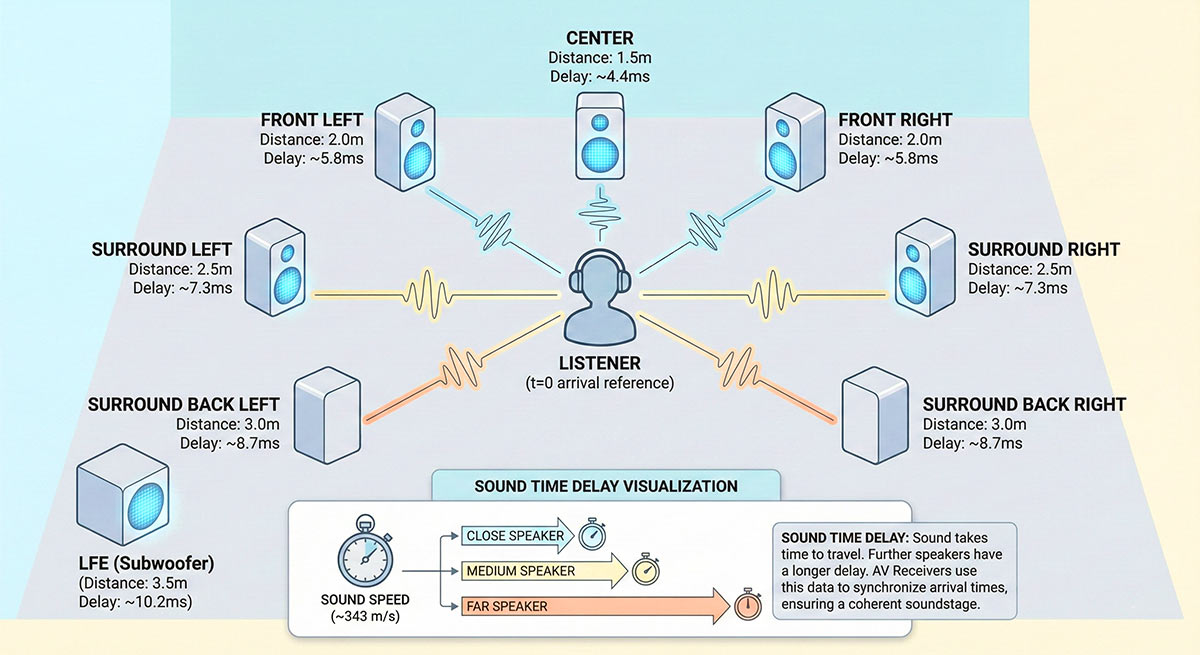
Surround Setup Sound delay:
Sound takes time to travel from the speaker to the ears of a listener. Depending on the distance, the sound needs more time. Usually an external surround amplifier is necessary, to allow this option – now the delay compensation can be done internally directly in VoiceMeeter.
VB SCREEN SUPPORT
Display your PC Screen, the Macro Button layout or VBAN text on another PC via a VBAN connection
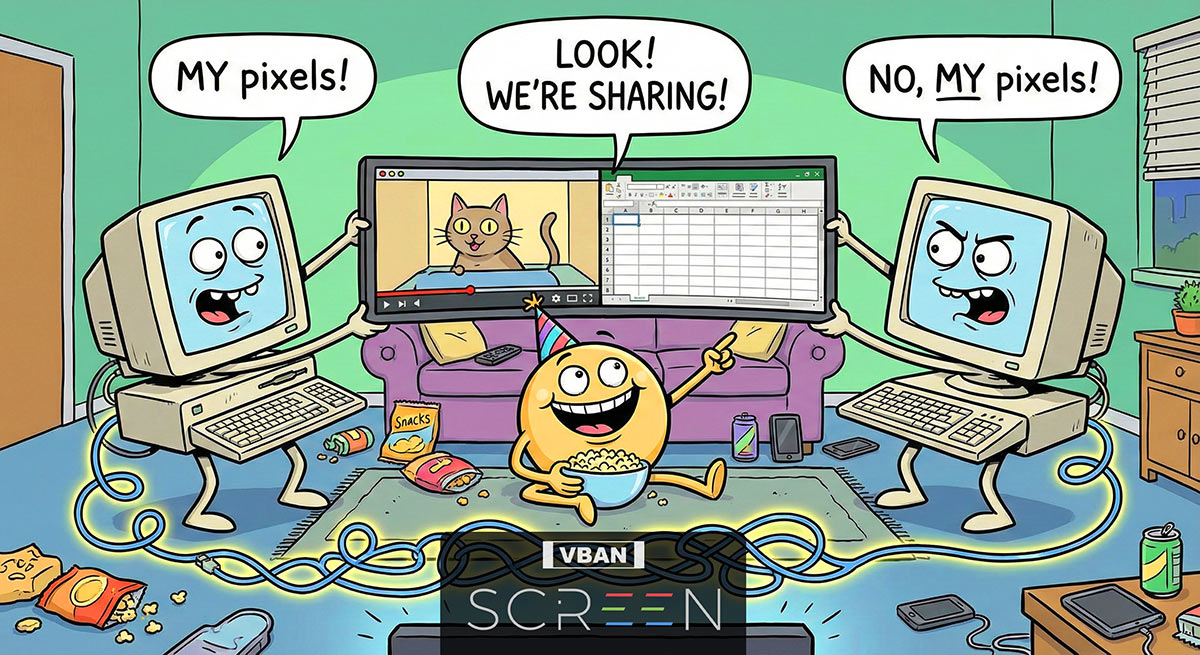
VoiceMeeter supports the new VB SCREEN app.
SCREEN can send your PC desktop via VBAN to another PC. This is great, for just watching a video or see, what’s going on, without using a dedicated, but complex screen sharing software.
Additonally Macro Buttons can send its own app Window via VBAN to another PC.
It can also send drawing script through VBAN-TEXT to display text on the other PC’s VBAN SCREEN window.
VoiceMeeter fully supports VBAN and “SCREEN sharing”!

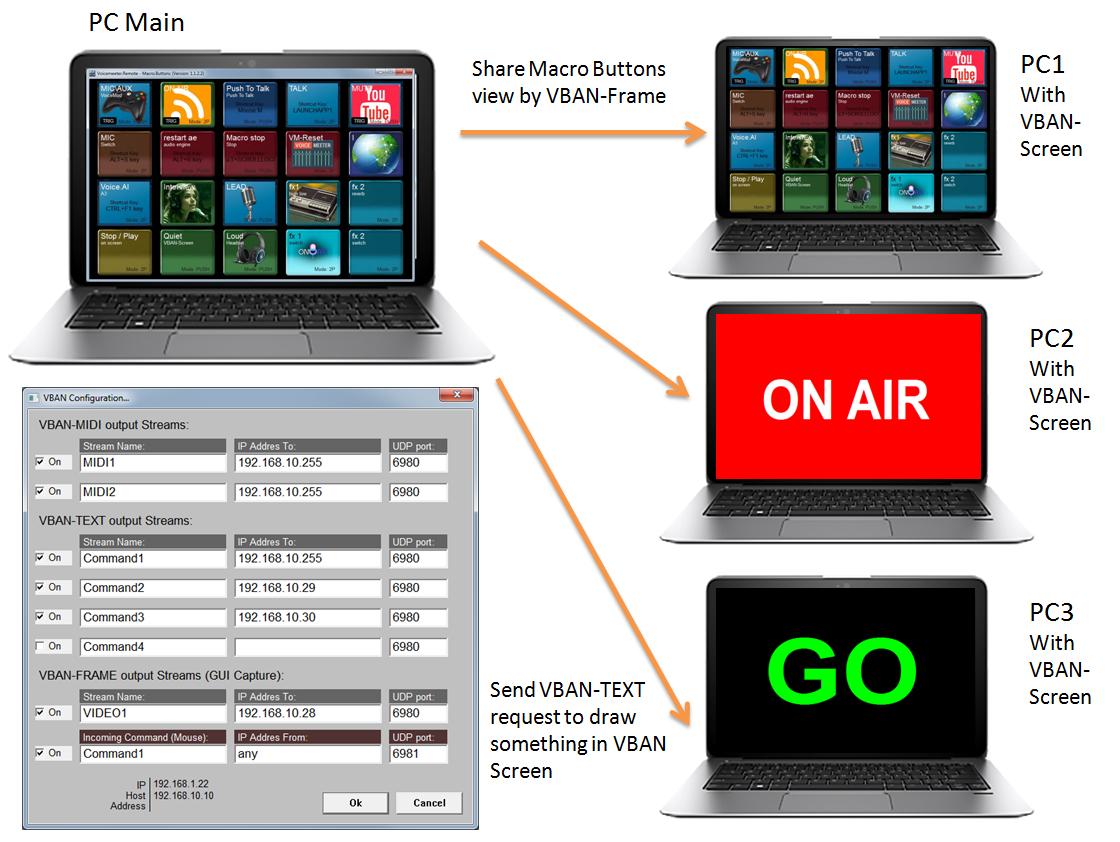

VB-Audio Screen (VBAN-Screen) is a standalone Windows app that displays up to four video streams, often screen captures, sent via the VBAN protocol, allowing users to monitor content like game footage or other computer activity alongside audio.
The app is functioning as a visual dashboard for VB-Audio Matrix or MacroButtons setups. It uses VBAN-Frame for video and VBAN-TEXT for drawing commands (lines, shapes, text), creating an interactive display for audio/visual setups, ideal for streamers or complex audio routing.
VAIO Update
New Drivers.
Even more stable with hard sync.
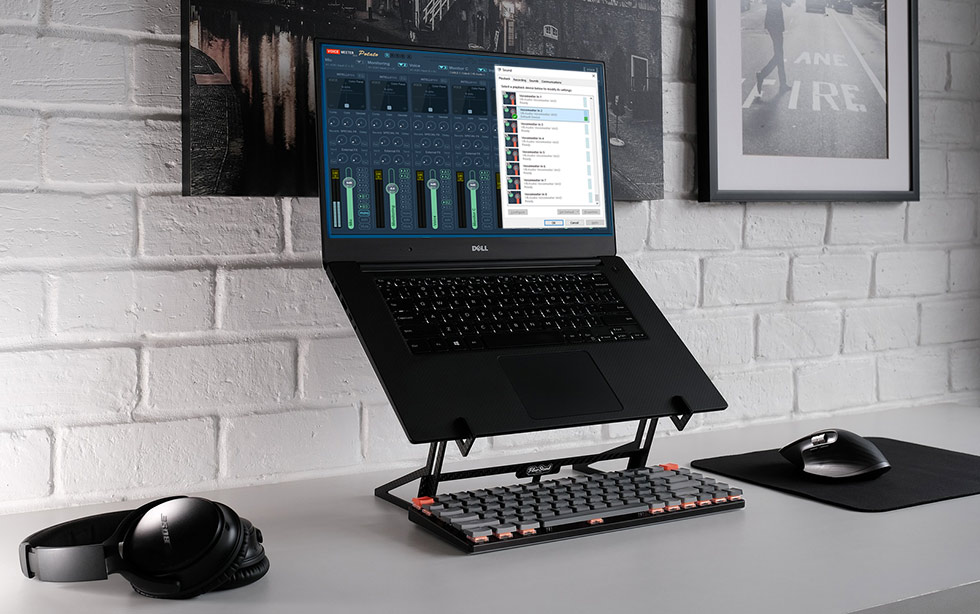
More VB Apps for your daily audio life
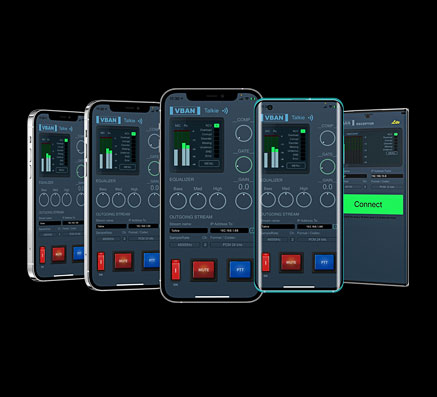
VBAN TALKIE “Cherrie”
VOICEMEETER-powered
HIGH-QUALITY INTERCOM
for your mobile devices
Virtual Audio Cable
Several Device drivers, which allow to route audio from every app to any app. E.g. audio player or Game sound to Skype/Zoom inputs.
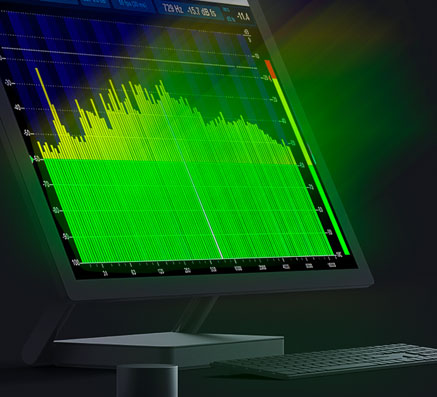
Spectralissime
High Precision 240-Band Spectrum Analyzer for Windows with professional features.
VBAN SUPPORT INCLUDED.